Minimap Images for the Game Setup Screens
   By Darg Needed Tools
This tutorial is about creating a minimap image in the game setup screen. You will need Warcaft III The Frozen Throne to do this.

The only tool required to complete this task is a photo-editing program that can create and save images as TGA files. I am using ULEAD Photo Impact.

Creating the Image
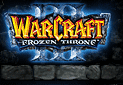
The image you create must be of TGA format and either 128x128 or 256x256 pixels in size. 128x128 is highly recommended as this will minimize the overall filesize of your map. What you put in the image is completely up to you, this is very much a creative process. For the purpose of this tutorial, I have created an image using the Warcraft 3 Frozen Throne logo, as seen below.

Image I am using for my minimap.

Importing the Image File
Inside World Editor, load the Import Manager under the Module menu. Click on File, Import and open the TGA file that you have created. Now you need to change the custom path. Double click the item inside the import manager, and check the box that says Use Custom Path. Change the path to "war3mapPreview.tga" with nothing before it and proper case.

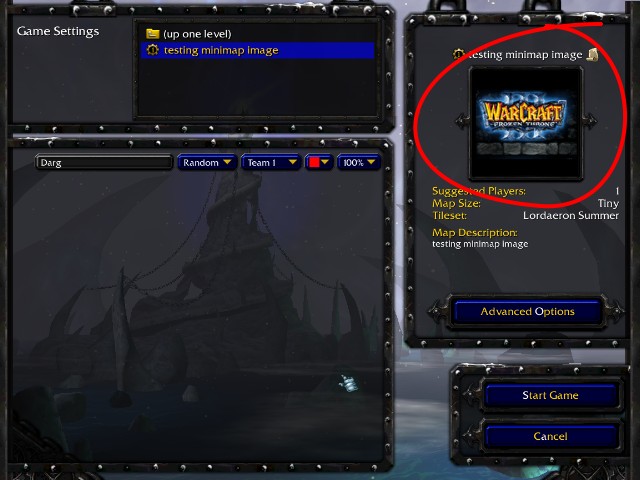
You're done! This is what mine looks like when I test my map.

Finished minimap image.


WoW Gold Silkroad Online Forums
Team Griffonrawl Trains Muay Thai and MMA fighters in Ohio.
Dickinson by Design specializes in custom Diamond Engagement Rings in Gold and Platinum.
Barfield Photography is a Houston Wedding Photography studio.
Promotional Products Direct specializes in Engravable Corporate Gifts.
Able Auto Glass specializes in Houston Auto Glass Replacement as well as windshield repair and replacement services.
Apex Steel Pipe - Buys and sells Steel Pipe.
TIJC specializes in Wholesale Silver Charms.